A&E firms already invested in better reporting

















What does better Deltek reporting look like?
Fully custom, interactive dashboards accesible from Deltek, Microsoft Teams, or in browser. The demos below show how other A&E firms structure and use their reporting – not fixed templates.
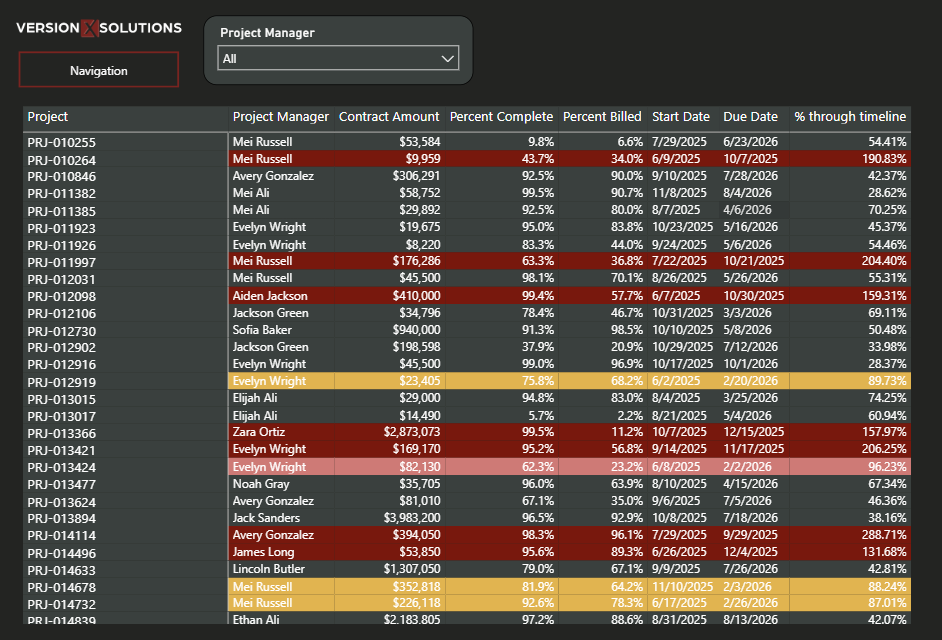
Project Timelines
This report gives Project Managers and leadership a clear, side-by-side view of project progress versus time elapsed. By comparing percent complete, percent billed, and how far each project is through its timeline, teams can quickly identify projects that are ahead, on track, or at risk – without digging through multiple Deltek reports.

Monthly Trends
This dashboard gives leadership and individual Project Managers a consolidated view of project execution and financial health across the firm. It brings together key indicators – multiplier, WIP and AR aging, utilization, DSO, and contract approvals – so teams can quickly see where performance is trending and where risk may be building.
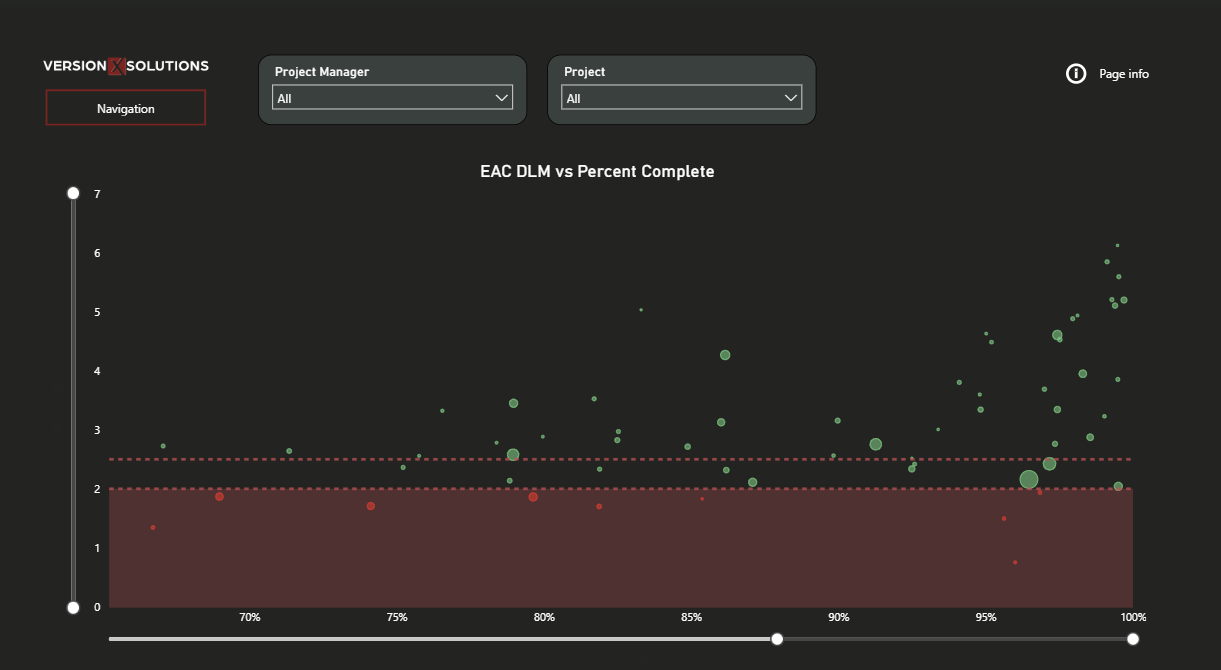
EAC DLM vs. Percent Complete
This report helps Project Managers and leadership quickly spot projects that are nearing completion but aren’t trending where they should be. It plots estimated-at-complete direct labor multiplier against percent complete, with contract value and threshold indicators adding context.
By making it easy to see which projects are close to the finish line and falling behind, teams know where to focus their attention while there’s still time to adjust. The metric can be swapped to reflect whatever performance measure matters most to the firm.